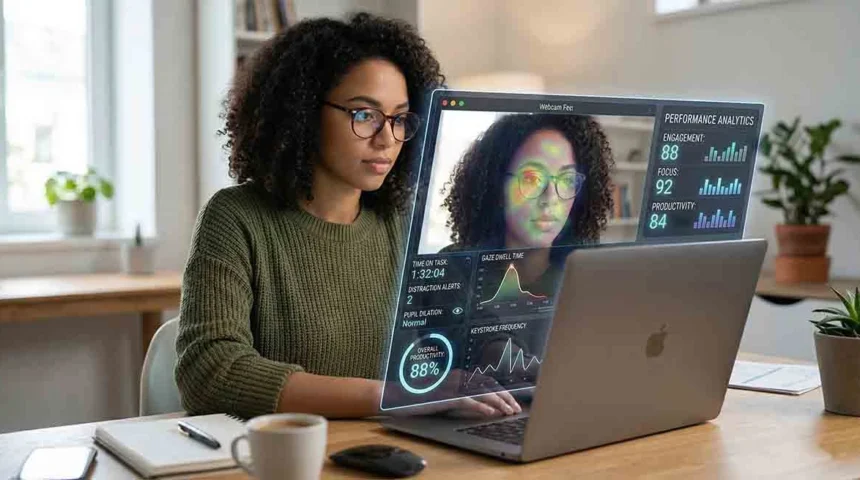
Your employer gave you a laptop. IT set it up. And now you work from home, mostly unsupervised — or so it feels. The question increasingly on remote workers’ minds: is someone actually watching?
The honest answer: probably more than you think, and less than you fear — but the legal landscape governing what employers can do is sprawling and not well-understood by most employees.
The Remote Surveillance Boom
The market for employee monitoring software grew by more than 50% between 2020 and 2023, according to HR technology analysts. Products like Teramind, ActivTrak, Hubstaff, and Time Doctor are now used by thousands of companies ranging from small businesses to Fortune 500s.
These tools can be installed silently — most employees who have monitoring software on their work computers never see an icon, never get a notification, and never think about it. The installation happens during corporate device setup and requires no consent in many jurisdictions.
What Employers Can Actually Track
On company-owned devices, employers in the United States have broad legal authority to monitor activity. This typically includes:
- Websites visited — Full URLs, time spent on each site, categorized by type (social media, news, shopping, etc.).
- Application usage — Which apps are open and for how long. Whether you’re active in a work application or idle.
- Keylogging — What you type, which has obvious privacy implications and is more commonly deployed in high-security industries.
- Screenshots at intervals — Some software takes screenshots every few minutes (or more frequently) and uploads them for manager review.
- Email on company servers — Emails sent through company email accounts are company property and can be read.
- Slack, Teams, and work chat messages — All of these are stored on company servers and can be searched and reviewed by administrators.
- Activity/idle time tracking — Mouse movement, keyboard activity, and whether your screen is active or not.
What They Generally Cannot Track
- Personal devices — Your personal phone, tablet, or computer is generally beyond employer surveillance reach, even if used occasionally for work.
- Personal email and personal social media — Even on a company computer, using personal accounts in your own browser typically creates a gray zone — though activity on those sites can still appear in URL logs.
- Physical spaces — Employers generally cannot deploy audio or video monitoring of your home without disclosure and consent.
- Off-hours activity on personal devices — What you do outside working hours on personal devices is your own business.
How AI Is Changing Workplace Monitoring
The newest generation of monitoring tools doesn’t just log raw data — it uses AI to analyze patterns and generate risk or performance scores. This means:
- Algorithms that flag “unusual” patterns of activity (too many breaks, certain websites at certain times)
- Sentiment analysis of Slack and Teams messages
- Productivity scoring that compares your activity to peer benchmarks
- Anomaly detection that surfaces changes in behavior that might indicate disengagement or a job search
The legal status of AI-generated behavioral scoring in employment decisions is an emerging legal issue that courts and regulators are only beginning to address.
Your Rights as a Remote Worker
- Ask HR directly. You have a right to know what monitoring software is on company devices. Reputable employers will disclose this in an acceptable use policy.
- Read your employment contract and acceptable use policy. Most monitoring authority is in those documents, and most employees have never read them carefully.
- Keep personal activity on personal devices. This is the most practical protection. Never use a work computer for anything you wouldn’t want logged.
- Union protections and state law variations. Some states (Connecticut, New York, Delaware) have stronger employee notification requirements. If you’re in a union, your CBA may have additional protections.
Leave a Reply